Streamline Your Newsroom: The 10 Journalism Outline Icons Bundle
In the fast-paced world of content creation, visual communication needs to be instant. Whether you are designing a mobile app for a news aggregator, building a media website, or creating pitch decks for investors, you need design assets that convey meaning without clutter. The 10 Journalism Outline Icons Bundle is a versatile toolkit built specifically for this purpose. It strips away the noise, offering a clean, professional aesthetic that fits seamlessly into modern typography and editorial layouts. These aren't just decorative elements; they are functional tools designed to guide your user’s eye and reinforce your brand identity.
A Visual Language for Modern Media
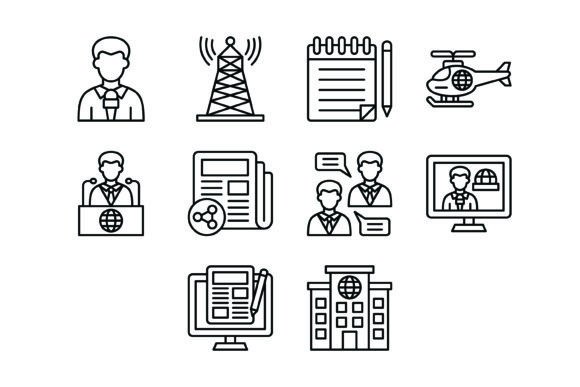
The strength of the 10 Journalism Outline Icons Bundle lies in its clarity and consistency. As a premium font alternative for visual hierarchy, these icons use a uniform line weight and geometric structure that aligns with contemporary web design trends. The collection includes ten distinct symbols: the Journalist Icon, Signal Tower Icon, Notes Icon, Helicopter Icon, Conference Icon, News Sharing Icon, Chatting Icon, Broadcasting Icon, Blog Icon, and Office Icon.
Unlike heavy, filled graphics, these outline styles offer a lighter touch. They work exceptionally well when paired with both sans serif font and serif font families. For instance, the sharp angles of the Signal Tower Icon can echo the geometric precision of a modern sans serif font, creating a cohesive, tech-forward vibe. Conversely, pairing the detailed Notes Icon with a classic serif font can ground a traditional newspaper layout with a touch of digital utility. This flexibility makes the bundle a critical component of your design assets library, allowing you to maintain visual consistency across various touchpoints without sacrificing personality.
Practical Applications Across Platforms
The true value of these icons is realized in their application. Because the bundle is provided in 100% vector formats (AI, EPS, SVG) and raster formats (JPG, PNG with transparent background), they are ready for any environment.
For mobile apps and websites, the scalability of SVG files ensures that the icons remain crisp on high-resolution Retina displays. You can use the Blog Icon for navigation menus or the News Sharing Icon for social interaction buttons. In editorial design and packaging design, the high-resolution JPG and PNG files serve as excellent accents for feature spreads or product labels related to media industries.
Furthermore, for presentation and social media graphics, these icons act as powerful focal points. Imagine using the Helicopter Icon to represent "breaking news" or "rapid response" in a marketing pitch, or the Conference Icon to denote networking events. They help break up text-heavy slides, improving readability and visual hierarchy. For small business owners and entrepreneurs, utilizing these icons in logo design elements or brand collateral helps project an image of authority and organization without the cost of custom illustration.
Enhancing Brand Perception and Usability
Choosing the right graphics is just as important as choosing a creative font. The 10 Journalism Outline Icons Bundle influences how your audience perceives your brand. Using clean, recognizable symbols like the Office Icon or Broadcasting Icon signals professionalism and reliability. It suggests that your platform is organized and user-centric.
When integrating these into your workflow, consider the principle of "icon-text pairing." Just as you would test font pairing to ensure a display font complements a body typeface, you should test how these icons sit next to your text. Ensure there is adequate padding and that the stroke weight of the icon doesn't overpower a delicate handwritten font or script font used for accents.
Ultimately, the goal is to reduce cognitive load. By using the Chatting Icon for comments or the News Sharing Icon for distribution, you utilize universal visual cues. This allows users to navigate your content faster, increasing engagement and time on site. Whether you are a designer building a complex interface or a blogger looking to spice up a sidebar, this bundle provides the modern typography support you need to communicate effectively and professionally.